Geofence
Fences that outlive your app.
$ composer require all1web/nativephp-geofence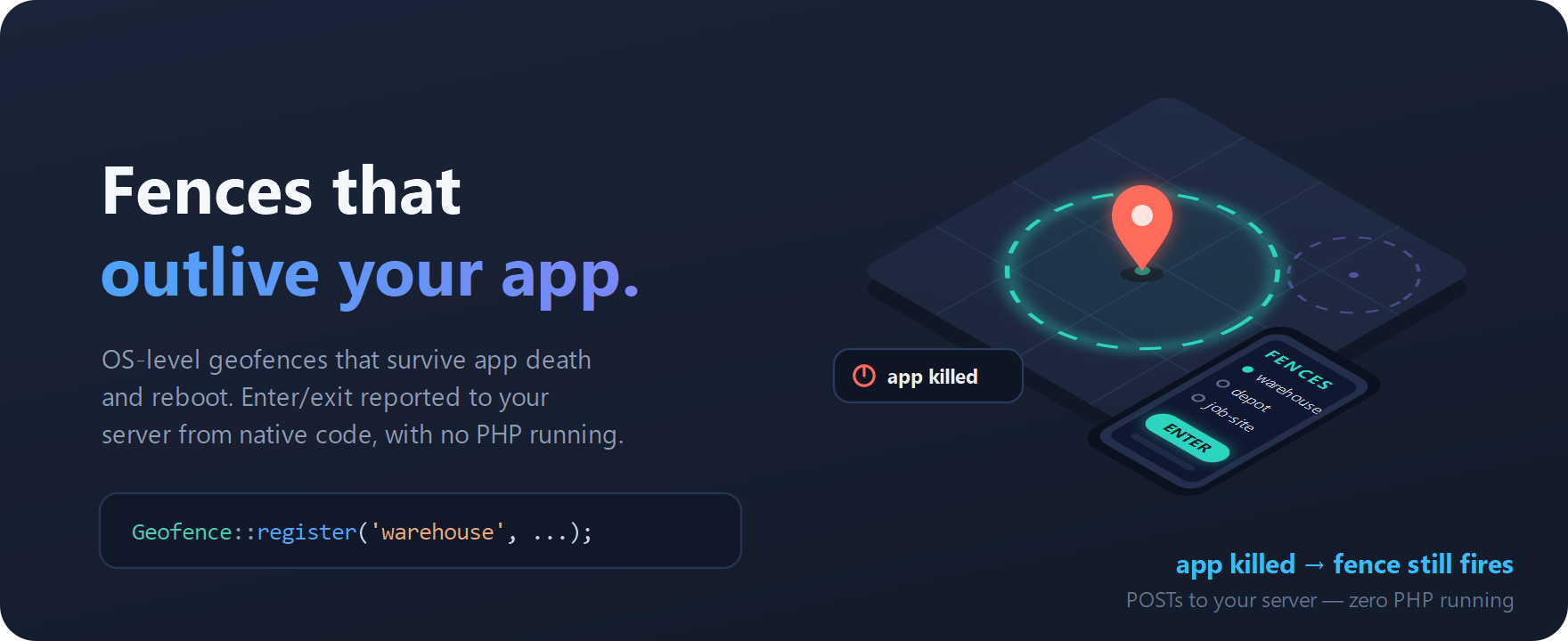
OS-level geofence registration that survives app death, reporting enter and exit transitions straight to a configured HTTPS endpoint.
- Registered with the OS — fires with your app closed or the device rebooted
- Enter/exit transitions POST to your own HTTPS endpoint
- Inspect and revoke fences from PHP with list() and remove()
Documentation
🛰️ nativephp-geofence
Fences that outlive your app.

PHP does not run in the background on a phone. The moment the OS kills your app — and it will — anything you built on a PHP loop stops existing. This plugin hands the job to the operating system instead: it registers real OS-level geofences that keep watching after your app is backgrounded, force-quit, or the device reboots, and reports enter/exit transitions straight to your HTTPS endpoint from native code.

Why this needs a plugin at all: geofencing is an OS service. The platform holds your fences, wakes a native receiver when one is crossed, and hands it a transition — all while your process is gone. There is no WebView trick, no queued job, and no PHP path to that. This plugin is that capability, delivered as four lines of Laravel.
Status — both platforms implemented. Android's build half is verified on real hardware (compiles clean, receivers merge, co-installs with the first-party geolocation plugin, runs on a Galaxy Z Fold 6); crossing a real boundary is the remaining step — see What still needs validation. iOS ships in beta: implemented with CoreLocation region monitoring, validated end-to-end in the iOS Simulator — including delivery after the app is killed and after a reboot — and confirmed to compile clean for device architecture. See iOS for the exact validation matrix.
✨ What you get
- 🛰️ Fences you define. Register any
id/lat/lng/radiusfrom plain PHP. Not an internal resurrection trick — a first-class API with real enter/exit semantics. - 💀 Survives app death and reboot — on both platforms. Android
re-registers on
BOOT_COMPLETEDand reports from a nativeBroadcastReceiver; iOS relaunches the app for the crossing itself and the plugin's launch hook re-arms before the event is delivered. Either way: no PHP process alive anywhere. (Proven: on iOS the report lands 90 ms after the OS resurrects a force-killed app — see the validation record.) - 📱 One API, two platforms. The same
Geofence::calls and the same endpoint contract on Android and iOS — platform differences are documented, not discovered. - 🌐 Your server is the source of truth. A small authenticated JSON POST to an endpoint you own, with exponential-backoff retries. No vendor service in the middle, no data leaving for anyone but you.
- 🔐 Credentials never sit in plaintext. Endpoint URL and bearer token live
in
EncryptedSharedPreferences(AES-256) on Android and the Keychain on iOS, and the PHP layer refuses any endpoint that isn'thttps://. - 🐘 Foreground events too. When the app happens to be alive,
GeofenceEntered/GeofenceExitedfire as ordinary Laravel events — a convenience on top of the POST, never a replacement for it. - 🎛️ Tunable responsiveness. Dwell delay, OS responsiveness hint, retry count, backoff base, and timeout are all config, forwarded to native code on every call.
- 🧪 Unit-tested contract. A Pest suite pins the validator rules and the PHP↔bridge call contract, so your test suite never needs a device.
📊 Platform support at a glance
| Android | iOS | |
|---|---|---|
| Register / remove / list / clear fences | ✅ | ✅ |
| Enter & exit reported to your endpoint | ✅ | ✅ |
| Delivery while the app is backgrounded | ✅ | ✅ |
| Delivery while the app is force-killed | ✅ | ✅ |
| Survives reboot | ✅ BOOT_COMPLETED |
✅ relaunch hook |
| Credentials encrypted at rest | ✅ AES-256 prefs | ✅ Keychain |
| Foreground PHP events | ✅ | — POST only |
| DWELL / responsiveness tuning | ✅ | — not in CoreLocation |
| Max fences | ~100 | 20 |
| Maturity | implemented, device pass pending | beta, simulator-validated |
🎯 Perfect for
Field service and dispatch · fleet and delivery tracking · warehouse and job-site arrival logging · time-and-attendance by location · store-proximity offers · travel and commute journaling · safety check-ins · any app whose users should be noticed arriving without opening it.
🚀 On the roadmap
- 🛡️ Hardened background delivery on Android — enqueue the endpoint POST through WorkManager so a long retry chain can outlive the receiver window.
- 📍 DWELL transitions surfaced as a first-class event on Android (the loitering delay is already plumbed through config; CoreLocation has no DWELL, so this stays Android-only).
- 📦 Batch registration — register or replace a whole fence set in one call.
📦 Install
After purchasing, connect Composer to the NativePHP plugin marketplace (your credentials are on your Purchased Plugins dashboard), then:
composer config repositories.nativephp-plugins composer https://plugins.nativephp.com
composer config http-basic.plugins.nativephp.com your-email@example.com your-license-key
composer require all1web/nativephp-geofence
NativePHP plugins are opt-in for security, so requiring the package is not enough — register the provider, then compile it into the native project:
php artisan native:plugin:register all1web/nativephp-geofence
php artisan native:install android --force   # or: native:install ios --force
php artisan native:run android
The rebuild matters: the geofence receivers are declared in the Android manifest at install time, so they exist only after this rebuild — not after a re-run of an old build.
php artisan vendor:publish --tag=geofence-config
# Local checkout (plugin development):
composer config repositories.geofence path ../nativephp-geofence
composer require "all1web/nativephp-geofence:*@dev"
🧑💻 Use it
use All1web\Geofence\Facades\Geofence;

// 1. Once after login — seed the endpoint the background receiver reports to.
//    The URL MUST be https://.
Geofence::configureEndpoint(
    url:   'https://api.example.test/geo/signals',
    token: $user->currentAccessToken()->plainTextToken,
);

// 2. Register a fence (from a foregrounded screen — the permission flow needs it).
Geofence::register(id: 'warehouse', lat: 40.7128, lng: -74.0060, radius: 200);

// 3. Manage them.
Geofence::list();            // ['fences' => [...], 'count' => n]
Geofence::remove('warehouse');
Geofence::clear();
That's the whole integration. Re-call configureEndpoint() whenever the token
rotates.
From JavaScript
Every bridge function has a matching ES module export, for Livewire, Inertia,
or plain JS front-ends. Alias the bundled wrapper once in vite.config.js:
// vite.config.js — resolve.alias:
// '@geofence': '/vendor/all1web/nativephp-geofence/resources/js/index.js'
import { configureEndpoint, register, remove, list, clear } from '@geofence';

await configureEndpoint('https://api.example.test/geo/signals', token);
await register('warehouse', 40.7128, -74.0060, 200);

const { fences, count } = await list();
await remove('warehouse');
await clear();
Foreground events (optional)
use All1web\Geofence\Events\GeofenceEntered;

#[\Native\Mobile\Attributes\OnNative(GeofenceEntered::class)]
public function whenEntered(GeofenceEntered $e): void
{
    // Fires only while the app is foregrounded. Never rely on this for
    // background transitions — those reach your HTTPS endpoint instead.
}
🌐 The endpoint contract
The native receiver POSTs exactly this, with an Authorization: Bearer <token>
header:
{
  "type": "geo_enter",
  "payload": { "lat": 40.7128, "lng": -74.0060, "fence_id": "warehouse" }
}
A minimal receiver on any Laravel backend:
// routes/api.php
Route::post('/geo/signals', function (Request $request) {
    $data = $request->validate([
        'type'             => 'required|in:geo_enter,geo_exit',
        'payload.lat'      => 'required|numeric|between:-90,90',
        'payload.lng'      => 'required|numeric|between:-180,180',
        'payload.fence_id' => 'required|string',
    ]);

    LocationSignal::create([
        'user_id'  => $request->user()->id,   // resolved from the bearer token
        'type'     => $data['type'],
        'fence_id' => $data['payload']['fence_id'],
        'lat'      => $data['payload']['lat'],
        'lng'      => $data['payload']['lng'],
    ]);

    return response()->json(['ok' => true]);   // any 2xx stops the retry loop
})->middleware('auth:sanctum');
The token is whatever your backend expects — Sanctum, Passport, a signed value. The plugin never inspects it; it only sets the header.
⚙️ Configuration
config/geofence.php, forwarded to native code on every bridge call:
| Key | Default | Meaning |
|---|---|---|
initial_trigger_on_register |
true |
Fire ENTER immediately if already inside a fence at registration. |
loitering_delay_ms |
0 |
Dwell time before a DWELL transition (0 = off). |
notification_responsiveness_ms |
0 |
OS responsiveness hint; larger = more battery-friendly. |
post_max_retries |
5 |
Retries for the background endpoint POST. |
post_backoff_base_ms |
1000 |
Exponential backoff base (1×, 2×, 4×…). |
post_timeout_ms |
15000 |
Connect/read timeout per POST attempt. |
🍏 iOS (beta)
Implemented — CoreLocation region monitoring, same PHP, same endpoint
contract. The same Geofence:: calls register CLCircularRegions with the
OS; crossings POST to your endpoint from native Swift with the same JSON body
and bearer header as Android. Credentials live in the iOS Keychain
(readable after first unlock, so a background relaunch behind a locked screen
can still report), fences re-arm automatically at every launch, and the
plugin's regions are namespaced so they coexist with any other
location-aware plugin in your app.
What's proven. The implementation is validated end-to-end in the iOS Simulator (iOS 26), remotely and repeatably, against a real HTTPS receiver with a trusted certificate:
| Scenario | Result |
|---|---|
Register from PHP (configured/registered/list round-trip) |
✅ |
| ENTER crossing → HTTPS POST, exact contract, first attempt | ✅ |
| EXIT crossing → HTTPS POST | ✅ |
| App force-killed → OS relaunches it → POST | ✅ (delivered 90 ms after relaunch) |
| Device reboot, app never opened → crossing launches it → POST | ✅ |
| Duplicate suppression (initial-trigger vs OS redelivery) | ✅ |
Device-architecture compile (arm64/Debug-iphoneos) |
✅ 0 errors |
Full method, raw log excerpts, and the limits of simulator testing are in the
validation record. Beta marks a first release
without field mileage — not missing work: what the simulator can't speak to
is permission UX (the API exposes authorization/backgroundPermission so
your app drives that flow explicitly), real-world latency, and per-device
quirks.
Two honest platform differences to design around: iOS monitors at most
20 regions per app (Android: ~100), and the foreground
GeofenceEntered/GeofenceExited PHP events are Android-only — on iOS
the HTTPS POST is the delivery contract, full stop. Registration responses
carry two extra keys on iOS: authorization (the permission ladder state)
and backgroundPermission (true once the user grants "Always").
🏪 Android background-location policy — read before shipping to Play
Background geofencing depends on ACCESS_BACKGROUND_LOCATION, which Google
Play treats as a sensitive permission requiring review. This is real work
on your side, not a checkbox:
- Request
ACCESS_FINE_LOCATIONfirst, in context. RequestACCESS_BACKGROUND_LOCATIONlater, in a separate prompt, behind a rationale screen — Android 11+ will not show both in one dialog. - Your listing needs a prominent in-app disclosure and a privacy policy explaining that location is collected in the background and sent to your server.
- You must submit the Permissions Declaration Form justifying the core feature. "Geofencing that reports transitions to a server" is an accepted use case, but it must be user-facing and disclosed.
- Expect OEM battery managers (Samsung, Xiaomi, Huawei) to throttle background receivers. Transition delivery is best-effort, not real-time — the OS batches geofence events to save power, and seconds-to-minutes of latency is normal and by design.
The plugin does the technical part correctly, and the paperwork part is pre-written for you: docs/PLAY-COMPLIANCE.md carries copy-paste Data safety form answers, the background-location declaration justification, the prominent-disclosure and rationale-screen dialog copy, a privacy-policy paragraph, and the review-video checklist. Filing them in your Play Console remains the app owner's responsibility.
🔒 Security
- The endpoint must be
https://— the PHP layer rejects anything else, because the bearer token is sent from a background context with no interactive TLS prompt. - Endpoint URL and token live in
EncryptedSharedPreferences(AES-256), seeded byconfigureEndpoint(). The plugin ships its own encrypted store rather than depending on coreSecureStorage, which is not implemented on Android in the v4 RC. - Re-call
configureEndpoint()on token rotation.
🔬 What still needs on-device validation
iOS is validated end-to-end in the iOS Simulator — bridge round-trip,
ENTER/EXIT delivery with the exact contract, force-kill relaunch delivery,
reboot delivery with the app never opened, and a clean device-architecture
compile; the full evidence, method, and the honest limits of simulator
testing are in docs/IOS-VALIDATION.md. It ships
as beta on that basis — a first release without field mileage.
Android's build half is verified on real hardware — the Kotlin compiles
(0 errors), both receivers merge into the manifest with the intended
exported flags, dependencies resolve alongside the first-party
geolocation plugin without a version clash, and the app installs and runs
on a physical Galaxy Z Fold 6 with both location permissions grantable.
Evidence: docs/ANDROID-VALIDATION.md.
What remains on Android is functional transition delivery: crossing a real boundary to confirm ENTER/EXIT firing (foreground, background, killed), boot re-registration, and OEM battery-manager behaviour. Validate that on a device before production.
📋 Requirements
- Laravel 10 or any later release —
illuminate/support >=10.0(a new Laravel major never blocks the install; the weekly CI run tests the newest release) - PHP
^8.2(8.2 through 8.5) - NativePHP Mobile
^3.0 || ^4.0 - Android 10+ (minSdk 29 — background-location semantics), with Google Play
services (the plugin pulls
play-services-location) - iOS 18.0+ (CoreLocation region monitoring; no extra background modes, no App Groups, no extension targets)
- An HTTPS endpoint you control
🔬 Digging deeper
| Doc | What's in it |
|---|---|
| Reference | Full API, payload shapes, events, the endpoint retry contract, JS usage, per-platform facts, uninstall |
| iOS validation record | The evidence behind the beta label — method, results, raw log excerpts, what remains |
| Android validation record | Compile, manifest merge, dependency co-install with first-party geolocation, device install — and what is still outstanding |
| Play compliance kit | Copy-paste Data safety answers, declaration + video checklist, disclosure dialog copy, privacy-policy paragraph |
| Design notes | The architecture and the honest reasoning behind it |
| Changelog | Version history |
🛠️ Development
composer install
composer test
📜 License
Commercial. Distributed as a paid plugin via the
NativePHP Plugin Marketplace; each purchase
grants a license key used for Composer authentication. Licensed by ALL 1, a
Wyoming corporation. Source access is included for your own development;
redistribution of source is not — see LICENSE for the full EULA.