Actions Anywhere
One config. Every OS surface.
$ composer require all1web/nativephp-actions-anywhere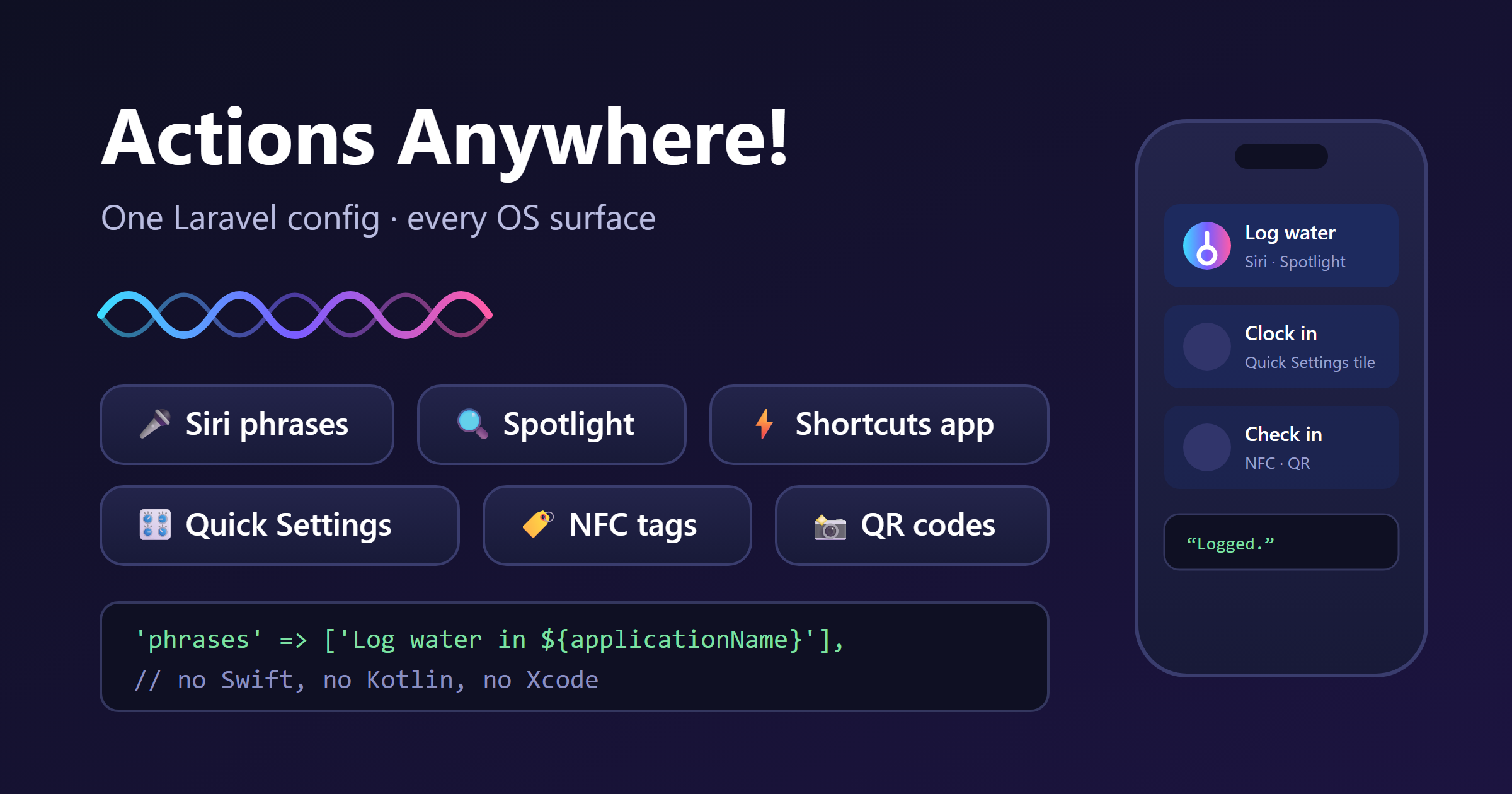
One Laravel config turns your app’s actions into Siri phrases, Shortcuts-app actions and Spotlight results on iOS — and Quick Settings tiles and automation links on Android. No Swift, no Kotlin, no Xcode.
- Siri phrases, Shortcuts actions and Spotlight results on iOS
- Quick Settings tiles and automation links on Android
- Declared once in config — no native code to maintain
Documentation
🗣️ nativephp-actions-anywhere
One action. Every way in.

Your users say "Hey Siri, log water in YourApp" — Siri answers out loud, the app never opens, and the invocation lands in your Laravel code as a typed object, ready for a handler.
Your users pull down the Android shade and tap your tile where it sits between Wi-Fi and the flashlight — the action fires from the notification shade, over whatever app they were in, without a launch. On Android 13 and up you can offer the tile in a one-tap placement prompt instead of asking them to hunt through the edit gallery.
Your users search their phone for something they half-remember, and your actions are in the Spotlight results as tappable rows — found the way they find everything else, with nothing to install and no API call from you.
Your users open the Shortcuts app to build a 6am routine, and your actions are in the picker as building blocks, sitting alongside Apple's own. What they assemble is theirs; your handler just runs when their morning does.
Your users tap their phone to an NFC sticker on the fridge, or scan a QR on
a poster or a table tent, and land exactly where you sent them — each tag
or code carrying its own input, so the same action means "kitchen" on one
sticker and "garage" on the next. Links always open the app and run your
middleware first: a URL anyone can fire is never allowed to fire a handler
silently.
Every one of those is the same action, declared once. You never write a line of native code — the plugin handles the Kotlin and Swift side for you.

Don't confuse this with home-screen quick actions. Three different things in this ecosystem are called "shortcuts". The community
matildevoldsen/quick-actionsplugin covers launcher shortcuts — the menu when users long-press your app icon. This plugin covers a different mechanism: Siri voice phrases, Shortcuts-app actions, and Spotlight results via Apple's App Intents framework on iOS, and the Quick Settings shade on Android. (Both plugins can put entries in Spotlight — they're complementary, and many apps want both.)Why this needs a plugin at all: no WebView, no HTML API, and no PWA can register a Siri phrase, place a row in Spotlight, or drop a tile in the Android shade. Those are OS-level capabilities reserved for native apps, granted only to code compiled into the binary. This plugin is that capability, delivered as one config file. It's the only App Intents / Siri plugin in the NativePHP ecosystem.
🎬 What your users can suddenly do
| They do this… | …and this happens |
|---|---|
| 🗣️ "Hey Siri, log water in YourApp" | Siri confirms out loud, app stays closed. Your handler runs next time they open it. |
| 🔍 Search their phone for your app | Your actions appear in Spotlight as tappable rows |
| 🎛️ Pull down the Android shade | Your action sits next to Wi-Fi — one tap, no app launch |
| 🏷️ Tap their phone to an NFC sticker | Your app opens exactly where you sent them |
| 📸 Scan a QR on a poster or table tent | Same action, and each code can carry its own data |
| 🌅 Build a 6am routine on their phone | Your action is one of the steps they can pick |
All six from one config file. See the full recipes →
✨ What you get
- 🗣️ Siri phrases with zero user setup — your phrases register the moment the app installs. No shortcut to add, no recording, nothing for your users to enable or discover.
- 🔒 Nothing gets lost. If your app wasn't running when the user spoke, the invocation waits safely in a native queue and is there the moment your app opens — cold launch, background, or force-quit.
- 📇 A place in Spotlight and the Shortcuts app — every action becomes a searchable row and an automation building block, automatically, with no extra API to call.
- 🎛️ Six tiles in the Android shade — your actions next to Wi-Fi and Bluetooth, one tap from anywhere, plus a one-tap placement prompt so users don't have to hunt for them.
- 🏷️ Every action gets a URL —
AppIntents::link()hands you the trigger to write to an NFC sticker or encode as a QR code, optionally cryptographically signed so only the codes you generated are accepted. Automation apps and user-built routines can use them too. - 🐘 It's all just PHP. Actions are config; invocations arrive as typed objects through an invokable handler class you already know how to write. No Swift, no Kotlin, no Xcode project surgery.
- ⚡ Instant or in-app, your choice — background actions finish inside Siri without launching anything; open actions bring the app to the foreground and land the user on exactly the screen you name.
- 🔁 Change the words without a rebuild — Siri's spoken replies live on the runtime side, so copy tweaks apply on the next app boot.
- 🩺
php artisan appintents:doctor— diagnoses your whole setup (registration, action config, stale builds, live bridge state) and tells you the exact command that fixes whatever's wrong. Its companionappintents:listshows every action and exactly which surfaces it reaches. - 🧪 Testable without a device —
AppIntents::fake()queues invocations exactly as the native layer emits them, with assertions for what your handlers received. 133 automated tests stand behind the plugin itself. - 🪶 Invisible to app review — no entitlements, no runtime permissions, no background modes, no extra build targets, no signing changes.
🚀 On the roadmap (planned)
- 🎯 Typed per-action parameters: structured inputs beyond the single free-text field, so Siri can capture a date, an amount, or a picked item and hand it to your handler already parsed.
- 🌍 Localized phrase catalogs: per-locale phrase sets so your Spanish and Japanese users speak to your app in their own words.
- 💡 Siri suggestion donations: teach iOS when your actions matter, so the right one is proposed on the lock screen before anyone asks.
- 🎨 Per-action Android tile icons: distinct glyphs per tile instead of the shared default.
- 🔀 Stateful toggle tiles: tiles that show on/off and flip it — "Focus mode", "Clock in/out", "Available for calls" — instead of firing a one-way action. Your app pushes the current state so the shade always reflects reality rather than the last tap, and the tile answers with the new state when the user changes it.
- 🤖 Android voice via Gemini AppFunctions (Android 16+) — the honest Android analog of Siri App Intents. Google hasn't opened it to third-party invocation yet; the day it ships publicly, this plugin's action schema already fits it. See 🤖 Android.
📦 Install
composer require all1web/nativephp-actions-anywhere
php artisan native:plugin:register all1web/nativephp-actions-anywhere
# Early access via GitHub (licensees with repo access):
composer config repositories.actions-anywhere vcs https://github.com/all1web/nativephp-actions-anywhere
composer require "all1web/nativephp-actions-anywhere:dev-main"

# Local checkout (plugin development):
composer config repositories.actions-anywhere path ../nativephp-actions-anywhere
composer require "all1web/nativephp-actions-anywhere:*@dev"
Publish the config, define an action, then rebuild:
php artisan vendor:publish --tag=appintents-config
php artisan native:run ios
The rebuild matters: Siri phrases, Spotlight entries and tile labels are compiled facts — iOS reads them from your app's binary at install time, so they only exist after a build that included them. That's also why the build has to come from the NativePHP CLI: a build started inside Xcode skips the plugin pipeline entirely, and your new actions silently won't appear.
🧑💻 Use it
// config/appintents.php
'actions' => [
    'log-water' => [
        'title'   => 'Log water',
        'phrases' => ['Log water in ${applicationName}'],
        'icon'    => 'drop.fill',
        'mode'    => 'background',
        'dialog'  => 'Logged.',
        'handler' => \App\Actions\LogWater::class,
    ],
],
// app/Actions/LogWater.php
use All1web\AppIntents\Support\IntentInvocation;

class LogWater
{
    public function __invoke(IntentInvocation $invocation): void
    {
        WaterLog::create(['note' => $invocation->input]);
    }
}
That's genuinely the whole integration. The user speaks the phrase — or taps
the Android tile, or scans the QR code — and your handler runs with the
invocation: immediately for open actions, on the next app open for
background ones. On iOS, Siri replies with your dialog.
// Android: put the same action in the Quick Settings shade
'tiles' => ['log-water'],

// …and offer one-tap placement (Android 13+)
AppIntents::requestTile('log-water');
Want it on an NFC sticker or a QR code too? You've already written it —
docs/RECIPES.md has the complete builds.
Using JavaScript instead? (Inertia / Vue / React)
// vite.config.js — alias the wrapper once:
// '@app-intents': '/vendor/all1web/nativephp-actions-anywhere/resources/js/appIntents.js'
import appIntents from '@app-intents';

const invocations = await appIntents.pending(); // set APPINTENTS_AUTO_DRAIN=false first
The wrapper exports one function per bridge call (pending, count,
hasPending, clear, sync, status, requestTile) and degrades
gracefully in the browser. See docs/REFERENCE.md for
the drain-owner rule before pulling from JS.
🍏 iOS
This is where the plugin is strongest — and it's the platform that needs no user setup at all. Your phrases, Spotlight rows, and Shortcuts-app actions register when the app installs. There's no companion shortcut to distribute, nothing to record, and nothing to explain in your onboarding.
Siri speaks your configured reply, not live PHP. There's no synchronous
channel from native code into a running Laravel app, and Siri needs an
answer in about a second — so the spoken response is a template you write
(with {input} interpolated), and your handler runs on delivery. If an
action genuinely needs live data in its answer, make it an open action and
show the real number on screen. Background invocations are processed the
next time the app opens: say "Logged — syncs when you open the app" rather
than implying instant server-side writes.
Ten actions may carry Siri phrases (Apple's cap). Extras still work as Shortcuts-app actions — the generator tells you exactly which ones spilled over, so you choose rather than discover it in the wild.
🤖 Android — real surfaces, honest limits
Android gets Quick Settings tiles and action links — real, supported OS surfaces:
'tiles' => ['log-water', 'start-workout'], // up to 6, in the shade
Tap a tile: background actions queue instantly without opening the app;
open actions foreground it onto the action's url. And every action
answers at /appintents/run/{action} — set NATIVEPHP_DEEPLINK_SCHEME
(NativePHP's built-in deep-link feature) and NFC tags, QR codes, automation
apps, and user-built routines can all trigger your Laravel code by opening a
URL.
These are ordinary Android tiles, which means anything that can activate a tile can run your action — potentially including assistants with device control, which on some skins can reach a tile by its visible name. We have not verified that on any specific device and it is not a feature of this plugin: treat it as an OEM-dependent bonus, and keep it out of your app's copy. What is dependable on Samsung needs nothing from you either: a routine that opens your action's URL, started by a voice command the user picks.
What Android does not get is built-in voice — your actions don't register phrases with an assistant the way they do with Siri, and we'd rather tell you why than sell a checkbox. Google Assistant's per-app actions are being retired with Assistant itself; Gemini's replacement (AppFunctions, Android 16+) isn't open to third-party invocation yet and is first on our roadmap the day it is. Bixby's own SDK path (capsules) is a separate Samsung-built artifact no app package can carry. So: advertise tiles and links freely, but don't claim built-in Android voice support in your app copy.
🤝 Plays well with others
ALL 1 plugins are built to co-install: no shared runtime symbols, no shared
storage, and no contention for the launcher shortcut budget — this plugin
never touches ShortcutManager at all, so it can't evict anyone else's
entries. Run it alongside the community quick-actions plugin and your
users get long-press shortcuts and voice, Spotlight, tiles and scan
triggers, each on its own surface.
🧹 Uninstall
Leaving is as clean as arriving — the plugin never edits your project files, so removal is two commands:
php artisan native:plugin:uninstall all1web/nativephp-actions-anywhere
php artisan native:install
The rebuild regenerates the native projects template-fresh (overwriting is the default), so no generated code and no OS registrations survive. One thing to plan for rather than discover: users who built their own automations on your actions will see those stop working — so if you're retiring a single action rather than the whole plugin, keep its id alive pointing at a graceful handler for a release or two. Migration rules →
📋 Requirements
| NativePHP Mobile | ^4.0 for builds (the plugin-hook system powers code generation and tile labeling); installs alongside ^3.0 |
| PHP | ^8.2 |
| iOS | 18.2+ — follows your NativePHP project's floor |
| Android | 8.0+ (minSdk 26); add-tile prompt on 13+; voice parked (see above) |
| Permissions | None. No runtime permissions, no usage-description strings |
🔬 Digging deeper
| Doc | What's in it |
|---|---|
| Recipes | 🍳 Complete copy-paste builds: hands-free logging, NFC stickers, QR check-ins, tiles, routines, structured input, testing |
| Reference | Full API: config fields, facade calls, IntentInvocation, events, testing, diagnostics, migration rules |
| Design | Architecture and rationale: the build/runtime split, why dialogs are templates, the drain pipeline |
| Platform notes | Platform realities: the ten-phrase cap, phrase rules, tile behavior, the Android verdicts |
| Store review | What Apple/Google review sees (nothing to declare) |
| Upgrading | What changed between versions and the one config note that matters |
| Changelog | Version history |
🛠️ Development
composer install
composer test
🔍 Under the hood
The fine print — everything below is why the handful of lines of PHP above just work.
⚙️ Engineering you don't have to think about: your action list is compiled into native Swift App Intents by a build hook on every CLI build — deterministically, with hard validation, so a phrase Siri could never match fails the build with a message telling you why instead of failing silently on a user's phone. Invocations persist to a lock-guarded native queue before PHP is even awake, so a cold-launch Siri command survives to the next app open. Tile slot names are frozen contracts enforced by tests, so placed tiles survive every update.
🧪 Verified, not vibes: the platform constraints this is built on —
install-time phrase registration, Apple's ten App Shortcut slots, background
launch behavior, the compiler's hook ordering, Android's tile lifecycle —
were verified against vendor source and current platform documentation
before the first line of code. 133 automated tests pin the manifest,
generator output (golden-file, escaping, caps, determinism), invocation
normalization, the config contract, and the shipped Swift and Kotlin
surfaces. php artisan appintents:doctor re-verifies your own setup any
time.
🔧 We fix what we find: every batch goes through adversarial pre-release audits — independent passes over the PHP runtime paths and over both native platforms — and they earn their keep. They caught a bridge parsing bug that would have shipped Quick Settings tiles which looked perfect and did nothing; a runtime kill switch that could never reach the device; an open redirect on the path every Siri phrase takes; tile slots that silently renumbered when you defined a new action, repurposing tiles users had already placed; and a queue that could deliver the same invocation twice after a process death. All fixed before you could meet them, each with a regression test, and the platform realities we can't fix are documented in docs/PLATFORM-NOTES.md so you never debug them yourself.
🏪 Review-proof by design: zero runtime permissions, zero usage-description strings, no private APIs, no extra build targets, no signing changes — invisible to Apple/Google review and safe in any cloud build pipeline. Details: docs/STORE-REVIEW.md. Your AI pair-programmer gets first-class knowledge too: Laravel Boost guidelines ship in the box.
📜 License
Commercial. Distributed as a paid plugin via the
NativePHP Plugin Marketplace; each purchase
grants a license key used for Composer authentication. Licensed by ALL 1, a
Wyoming corporation. Source access is included for your own development;
redistribution of source is not — see LICENSE for the full EULA.