QR Target
Design your scanner. Don’t accept one.
$ composer require all1web/nativephp-qr-target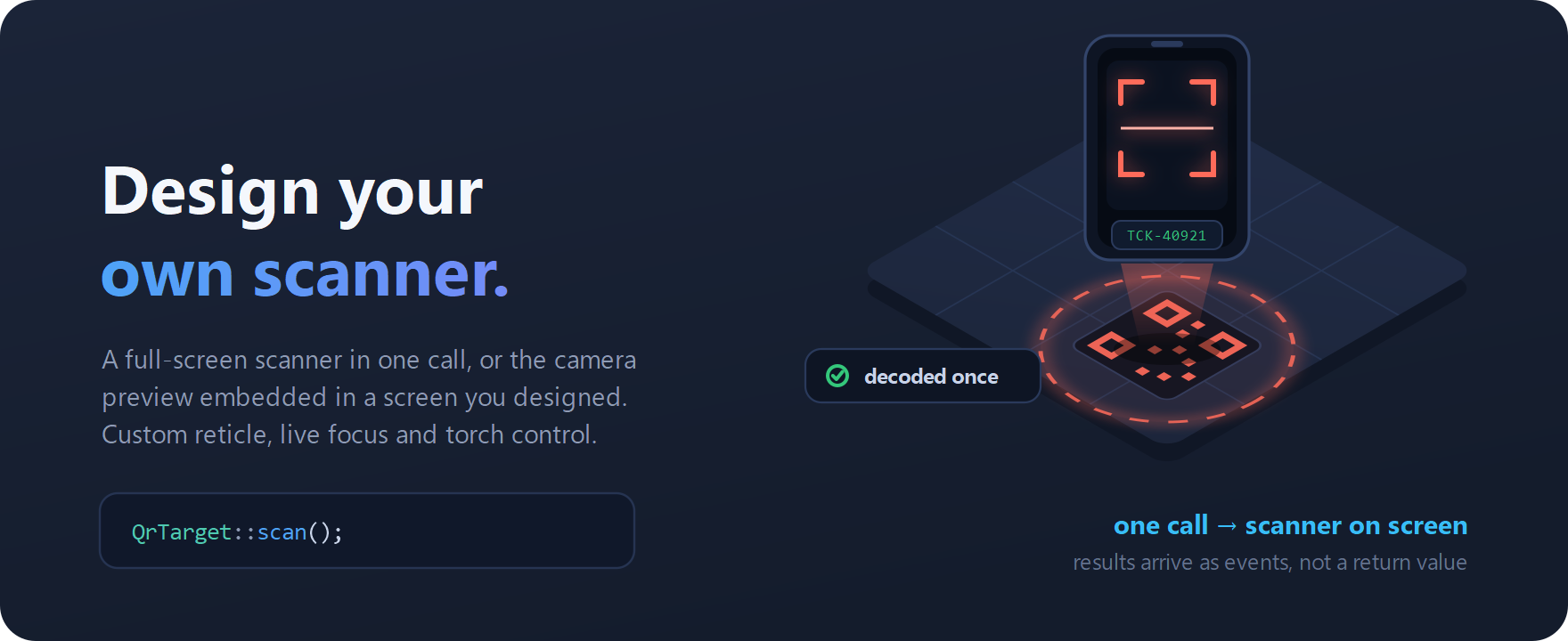
Configurable QR and barcode scanning. One call gives you a full-screen scanner, or embed the camera preview inside a screen you designed — your own reticle, live focus and torch control. Results arrive as events rather than a return value.
- A full-screen scanner in one call, or an embedded camera preview
- Your own reticle, with live focus and torch control
- Decode an image you already have with decodeImage()
Documentation
QR Target
A QR and barcode scanner for NativePHP Mobile, built to be configured rather than worked around.
Status: pre-release. The PHP layer is tested (81 tests) and the plugin passes
native:plugin:validate, but the Kotlin and Swift have not yet been compiled or run on a device. Treat this as unreleased until that happens — see What's left.
- Every symbology — QR, Aztec, Data Matrix, PDF417, Code 39/93/128, Codabar, ITF, EAN-8/13, UPC-A/E, with a per-scan filter. (iOS live scanning omits Codabar — see Platform differences.)
- Two presentation modes — a full-screen native scanner with a configurable targeting overlay, or the camera composited behind your WebView so you author the overlay in HTML and CSS.
- A reticle you can actually style — size, shape, aspect, corner brackets, borders, scan line, pulse, success flash, live detection boxes.
- Four scan modes — once, continuous, unique, and batch.
- Live camera control — torch (with intensity on iOS), zoom, lens switching, tap-to-focus, frame capture.
- Structured payloads — Wi-Fi, vCard, calendar events, geo, email, SMS, and driver's licences decoded into typed objects.
- Barcode generation — natively rendered, no PHP imaging extension needed.
- Testable — a recording fake, so scanner code runs in CI without a device.
Android and iOS are close to parity. The differences we know about are listed under Platform differences — it is a list, not a guarantee.
Installation
composer require all1web/nativephp-qr-target
Requires PHP 8.4 and NativePHP Mobile v4. Everything in this package — scanning and generation — runs through the native bridge, so it needs the mobile runtime. Server-side generation is planned but not built; see What's left.
Register the plugin so its native code is compiled in. NativePHP requires this explicitly, so a transitive dependency can't smuggle native code into your build:
php artisan native:plugin:register all1web/nativephp-qr-target
If this is your first plugin, publish the provider first:
php artisan vendor:publish --tag=nativephp-plugins-provider
Optionally publish the config to set app-wide defaults:
php artisan vendor:publish --tag=qr-target-config
Native code changes need a rebuild:
php artisan native:run
Quick start
use All1Web\QrTarget\Facades\QrTarget;

QrTarget::scan();
That gives you a full-screen scanner reading any format once, with a standard reticle and a close button.
Results arrive as events, not as a return value. scan() returns a session id
straight away — the user hasn't pointed the camera at anything yet.
use Livewire\Attributes\On;

#[On('native:All1Web\QrTarget\Events\BarcodeScanned')]
public function onScanned(array $barcode): void
{
    $this->ticket = $barcode['value'];
}
A configured scan reads as one chain:
use All1Web\QrTarget\Config\Reticle;
use All1Web\QrTarget\Enums\BarcodeFormat;

QrTarget::formats(BarcodeFormat::QrCode, BarcodeFormat::Ean13)
    ->continuous()
    ->maxResults(10)
    ->dedupeFor(2000)
    ->prompt('Scan each ticket')
    ->reticle(fn (Reticle $r) => $r
        ->size(0.7)
        ->cornerColor('#00E5FF')
        ->cornerLength(28)
        ->scanLine()
        ->pulse())
    ->controls(fn ($c) => $c->torchButton()->galleryButton())
    ->feedback(fn ($f) => $f->vibrate()->beep())
    ->scan();
Narrowing the formats is the single most effective thing you can do for
performance and for avoiding false positives. Use qrOnly(), retail(),
twoDimensional(), oneDimensional(), or formats(...).
The two presentation modes
Full-screen scanner — scan()
The overlay is drawn natively, which keeps it perfectly in sync with the camera
frames. Configure it through reticle(), overlay(), and controls().
Reach for this unless you specifically need HTML on top of the camera.
Embedded preview — startPreview()
The camera is composited behind the WebView, so everything on top of it is your own HTML and CSS.
QrTarget::qrOnly()
    ->bounds(x: 20, y: 120, width: 335, height: 335)
    ->previewCornerRadius(16)
    ->startPreview();
From JavaScript, let the DOM supply the bounds:
import { qrTarget, movePreview, on } from './qrTarget.js'

const window = document.querySelector('#scanner-window')

await qrTarget().qrOnly().behind(window).previewCornerRadius(16).startPreview()

on('PreviewStarted', () => window.classList.add('is-live'))

// Bounds are absolute, so follow the element when the page moves.
addEventListener('scroll', () => movePreview(window), { passive: true })
addEventListener('resize', () => movePreview(window))
The page has to be transparent over the camera. This is the one thing that catches everyone out. An opaque
bodyhides the preview completely:html, body { background: transparent; } #scanner-window { background: transparent; }
Wait for PreviewStarted before revealing the transparent region — binding a
camera takes a few hundred milliseconds, and until then the user sees a hole in
your UI.
Option reference
Formats
| Method | Notes |
|---|---|
formats(...) |
Accepts BarcodeFormat cases, strings, or arrays. |
allFormats() |
The default. |
qrOnly() |
Fastest and most common. |
twoDimensional() |
QR, Aztec, Data Matrix, PDF417. |
oneDimensional() |
All linear symbologies. |
retail() |
EAN-8/13, UPC-A/E. |
Session behaviour
| Method | Default | Notes |
|---|---|---|
once() |
● | Ends on the first decode. |
continuous() |
Emits an event per detection until stopped. | |
unique() |
Continuous, but never the same value twice. | |
batch() |
Everything visible in one frame, returned together. | |
maxResults(int) |
0 | Stop after this many. |
dedupeFor(ms) |
1500 | Suppress a repeat within this window. 0 emits every frame. |
timeout(ms) |
0 | End automatically. 0 disables. |
confirmBeforeReturn(bool, ?string) |
false | Show the value and ask before finishing. |
tag(string) |
Echoed on every event this session produces. |
Camera
| Method | Default | Notes |
|---|---|---|
lens(Lens) / front() / back() |
back | |
torch(TorchMode) |
off | Auto enables it when the scene is too dark. |
zoom(float) |
Absolute ratio, clamped to the lens range. | |
zoomLinear(0..1) |
Position across the range; safer when you don't know the device. | |
autoZoom(bool) |
false | Creeps in while nothing decodes. Helps with distant codes. |
resolution(Resolution) |
auto | Higher reads denser codes, costs frame rate. |
fps(int) |
uncapped | Caps analysis rate. Worth setting for long sessions. |
orientation(Orientation) |
unspecified | Full-screen scanner only. |
keepScreenOn(bool) |
true |
Detection region
| Method | Default | Notes |
|---|---|---|
restrictToReticle(bool) |
false | Ignore codes outside the reticle. |
targetRegion(Rect) |
Explicit region, normalised 0..1. Overrides the above. |
Leaving restrictToReticle off is deliberate: a code the user can see but the
app refuses to read is confusing unless the reticle makes the rule obvious.
Result payload
| Method | Default | Notes |
|---|---|---|
includeCorners(bool) |
false | Corner points and bounding box, normalised 0..1. |
includeImage(bool) |
false | Saves the frame. You own the file — see below. |
includeRawBytes(bool) |
false | Base64 of the original bytes, for binary payloads. |
parseStructured(bool) |
true | Wi-Fi, vCard, calendar, geo, and so on. |
Reticle
Everything on Reticle, via reticle(fn ($r) => ...):
visible() hidden() size() dimensions() aspectRatio() wide() shape()
circle() align() offset() cornerColor() cornerLength()
cornerThickness() cornerRadius() cornersOnly() border() scanLine()
pulse() successFlash() highlightDetected() raw()
size() takes a fraction of the shorter screen edge when ≤ 1, or density-
independent pixels when larger — so 0.7 and 280 both do what you'd expect.
Overlay
scrim() noScrim() title() prompt() counter() background() raw()
Controls
torchButton() lensButton() closeButton() galleryButton() doneButton()
all() none() pinchToZoom() tapToFocus()
doubleTapToZoom() dismissible() tint() activeTint() buttonBackground()
buttonSize() labels() raw()
Only the close button is on by default — a full-screen scanner the user can't dismiss is a trap.
Enabling a button does not check the hardware. Ask capabilities() first and
only enable what the device supports, or a torchless phone shows a torch button
that does nothing when tapped.
Feedback
vibrate() beep() speak() all() none() raw()
Unlike the overlay options, feedback applies to embedded previews too.
Colours
Every colour option accepts #RGB, #RGBA, #RRGGBB, #RRGGBBAA, rgb(),
rgba(), the CSS named colours, and transparent. They're normalised for you —
don't pre-convert to Android's #AARRGGBB argument order.
Escape hatch
Every builder has raw(array), which merges keys straight through to the native
side. If something isn't exposed yet, you aren't blocked waiting for a release.
Events
All under All1Web\QrTarget\Events\, listened to as
native:All1Web\QrTarget\Events\<Name>.
| Event | When |
|---|---|
BarcodeScanned |
Every decode, in every mode. Do your work here. |
ScanCompleted |
Session ended with at least one result. |
ScanCancelled |
Session ended with none. A normal outcome, not an error. |
ScanFailed |
Something went wrong. Match on $event->code. |
PreviewStarted |
Camera bound; carries the device capabilities. |
PreviewStopped |
Camera released. |
TorchChanged / ZoomChanged / LensChanged |
Live state — keep your own controls in sync. |
FrameCaptured |
A still was written. |
PermissionResult |
The user answered the prompt. |
In continuous mode, act on BarcodeScanned — ScanCompleted only arrives when
the whole session ends.
Events carry the raw native payload plus typed accessors:
public function onScanned(array $barcode, string $sessionId, ?string $tag): void
{
    $event = new BarcodeScanned($barcode, $sessionId, $tag);

    $code = $event->decoded();          // Support\Barcode
    $wifi = $code->wifi();              // Support\Parsed\Wifi|null
    $point = $code->boundingBox?->centre();
}
Permissions
Starting a scan prompts automatically. Ask separately only when you want to explain why first — it measurably improves grant rates.
if (! QrTarget::hasPermission()) {
    QrTarget::requestPermission(); // outcome arrives as PermissionResult
}

if (QrTarget::permissionStatus()->requiresSettings()) {
    QrTarget::openSettings();
}
Live camera control
Valid only while a session is running; otherwise they fail with NO_SESSION.
QrTarget::torchOn();
QrTarget::setTorch(TorchMode::Toggle, level: 0.5); // level is iOS only
QrTarget::setZoom(2.0);
QrTarget::setLens(Lens::Toggle);
QrTarget::focusAt(0.5, 0.5);       // normalised 0..1
QrTarget::captureFrame();          // arrives as FrameCaptured
QrTarget::pause();                 // keeps the camera warm
QrTarget::resume();
QrTarget::cancel();
Query the hardware before rendering controls:
$capabilities = QrTarget::capabilities();

if ($capabilities->hasTorch) { /* show a torch button */ }
if ($capabilities->canSwitchLens()) { /* show a lens switcher */ }
Decoding an existing image
No camera, no permission:
$barcodes = QrTarget::decodeImage('/path/to/photo.jpg');
$barcodes = QrTarget::decodeImage($base64);
$barcodes = QrTarget::decodeImage('content://media/…');
Generating barcodes
Rendered natively — ZXing on Android, Core Image plus hand-rolled encoders on iOS — so no PHP imaging extension is required.
use All1Web\QrTarget\Enums\ErrorCorrection;

$path = QrTarget::generate('https://example.com')
    ->size(512)
    ->margin(4)
    ->errorCorrection(ErrorCorrection::High)
    ->foreground('#101828')
    ->background('#FFFFFF')
    ->logo(storage_path('app/mark.png'), scale: 0.2)
    ->save();

$uri = QrTarget::generate('SKU-12345')->toDataUri();          // for <img src>
$svg = QrTarget::generate('x')->imageFormat(ImageFormat::Svg)->save();
A logo occludes part of the payload, so raise the error correction to
compensate — High recovers about 30%, comfortably covering the default 20%
logo. It isn't raised automatically, because that would silently change the
code's density.
1D formats validate their payloads and report INVALID_PAYLOAD rather than
producing an unscannable image — EAN-13 needs 12 or 13 digits, Code 39 rejects
characters outside its alphabet.
Testing
use All1Web\QrTarget\Facades\QrTarget;

QrTarget::fake([
    'QrTarget.Scan' => ['sessionId' => 'test-session'],
]);

$this->get('/checkout/scan');

expect(QrTarget::recorded()[0]['parameters']['formats'])->toBe(['qr_code']);
The package's own suite runs without a device:
composer test
It includes manifest tests that fail if a declared bridge function has no native implementation, or if the two platforms disagree about event names.
Where this package runs
| Runtime | Camera scanning | Barcode generation |
|---|---|---|
| NativePHP Mobile (iOS / Android) | ✅ | ✅ on-device |
| Plain Laravel server | ❌ | ❌ (planned for v0.3) |
| NativePHP Desktop | ❌ | ❌ (planned for v0.3) — will behave like a server |
| Browser | ❌ | ❌ — webcam scanning is out of scope |
Today both halves need the native bridge. The server column turns green when
milestone M1 lands; until then a generate() call off-device throws.
Ask the runtime rather than guessing:
QrTarget::isNative();   // the NativePHP Mobile runtime is present
QrTarget::canScan();    // camera scanning is possible here
isSupported() still works as a deprecated alias of isNative() and is removed
at 1.0. It was renamed because "supported" stopped being one question once
generation started working off-device.
Off-device behaviour
Outside a NativePHP runtime — php artisan serve, a queue worker, a test —
every call throws NotRunningNativelyException, generation included,
because a silent no-op is far harder to debug than a loud failure. There is one
bridge and it has no per-function exemptions.
For a codebase shared between web and mobile, either guard your calls:
if (QrTarget::canScan()) {
    QrTarget::scan();
}
…or set qr-target.strict to false and let them become no-ops.
Platform differences
Everything works on both platforms except:
| Android | iOS | |
|---|---|---|
| Torch intensity | On/off only (CameraX exposes no level) | Variable 0..1 |
| Structured parsing | ML Kit | Parsed by this plugin, so exotic variants may differ |
| Generation | All formats (ZXing) | All except Data Matrix, Code 93, ITF, Codabar, UPC-E |
| UPC-A detection | Native format | Reported as EAN-13 with a leading zero (Vision has no UPC-A symbology) |
| Denied permission | May re-prompt | Never re-prompts; Settings is the only route |
QrTarget::capabilities() reports the truth for the device in hand — prefer it
over assuming from this table.
Notes worth reading once
includeImage()files are yours. Full-resolution frames land in the app's cache directory and are not cleaned up. Delete them when you're done.dedupeFor()matters in continuous mode. Without it, holding the camera over one code fires an event every frame. It defaults to 1500ms.- Wi-Fi and licence payloads are sensitive.
Wifiredacts its password andDriverLicenseits licence number when serialised, but the raw properties are readable. Keep them out of logs, and only decode licences where you have a lawful basis. - A generated Wi-Fi code embeds the password in plain text. Anyone who can photograph it has the credentials. Fine for a printed guest-network card; think twice about anything else.
restrictToReticleneeds a visible reticle to make sense to the user.
What's left
Honest status, so nobody is surprised.
Done and verified
- The mobile scanner: 19 bridge functions, 11 events, Android (CameraX + ML Kit) and iOS (AVFoundation + Vision) at feature parity.
- The PHP layer: 81 tests, 409 assertions.
native:plugin:validatepasses.- Packaging: installs on Laravel 11, 12 and 13.
Not yet done
| Native code has never been compiled | ~8,600 lines of Kotlin and Swift. Needs php artisan native:run with the Android SDK and Xcode. Expect to fix compile errors on the first pass. |
| Never run on a device | No scan has ever happened. Every behavioural claim in this README is derived from the source, not observed. |
| Server-side generation | Planned — milestone M1 in docs/PLAN.md. |
| Shared payload vocabulary | Planned — M2. |
| Signed, offline-verifiable codes | Planned — M3. |
chillerlan/php-qrcode is currently a required dependency that nothing uses; it
lands properly with M1.
Licence
MIT — see LICENSE.